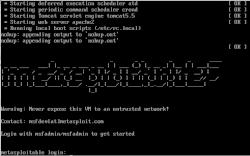
TODO: Convert the Metasploitable2 VMDK (VMWare image) to a VHD/VHDX (Hyper-v) image.
What you need: Except an running Hyper-v setup, all you need to download and install is Microsoft Virtual Machine Converter 3.0 (it really is 3.1) Luckily you don’t really need to use this - it is somewhat half baked and not what you expect, but the convert module is excellent, and that is the only thing we care about here. If you have a running VMware/Citrix setup running, the MS converter application could work.
Microsoft Virtual Machine Converter 3.0 https://www.microsoft.com/en-us/download/details.aspx?id=42497
MS Virtual Machine Converter install dir will include the relevant PS module: MvmcCmdlet.psd1 (Typical install location would be: C:\Program Files\Microsoft Virtual Machine Converter\MvmcCmdlet.psd1). Import this module. From a elevated PowerShell prompt:
Import-Module “C:\Program Files\Microsoft Virtual Machine Converter\MvmcCmdlet.psd1”
After importing the module, you can convert the VMDK image directly from Powershell with ConvertTo-MvmcVirtualHardDisk. Syntax is pretty straightforward:
| -SourceLiteralPath | Path to source image. I.e. D:\VMS\Metasploitable.vmdk | |
| -DestinationLiteralPath | Where you want to store the resulting vhd image. Like D:\VMS\Metasploitable.vhdx | |
| -VhdType | DynamicHardDisk|FixedHardDisk | Self explanatory. The fixed disk will be about 8.2 GB. The dynamic disk will be 2.3 GB. |
| -VhdFormat | Vhd | Vhdx | Format of resulting vhd(x) image. vhdx denotes 2. generation Hyper-v format (but you can use a VHDX image, in a 1. generation VM). |
| Source: | F:\ISO\Metasploitable2-Linux\Metasploitable.vmdk |
| Destination: | F:\ISO\Metasploitable2-Linux\Metasploitable.vhd |
| Disk type: | Dynamic |
| Format: | vhd |
ConvertTo-MvmcVirtualHardDisk -SourceLiteralPath "F:\ISO\Metasploitable2-Linux\Metasploitable.vmdk" -DestinationLiteralPath "F:\F:\ISO\Metasploitable2-Linux\Metasploitable.vhd" -VhdType DynamicHardDisk -VhdFormat Vhd
Very quick conversation; 30-40 seconds on my standard office PC.
Note on configuration of VM
Configure the Hyper-v VM as 1. generation and of course use the exported VHD disk.
Missing network: I had to remove the network adapter installed in the initial setup of the VM, and replace it with a ‘Legacy Network Adapter’.

VM is configured with 2048 Mb (dynamic).

Note on the Open Web Application Security Project (OWASP)
| The OWASP Broken Web Applications Project VM can also be converted to VHD/Hyper-v with the above PS module. Just use “OWASP Broken Web Apps-cl1.vmdk” as source. Resulting VHD image will be around 7.4 GB. Also replaced the initial network adapter with a ‘Legacy Network adapter’. | 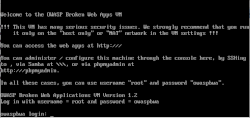 |
PS C:\> ConvertTo-MvmcVirtualHardDisk -SourceLiteralPath "F:\ISO\OWASP\OWASP_Broken_Web_Apps_VM_1.2\OWASP Broken Web Apps-cl1.vmdk" -DestinationLiteralPath "F:\ISO\OWASP\OWASP_Broken_Web_Apps_VM_1.2\OWASP-Broken-Web-Apps-cl1-s001.vhd" -VhdType DynamicHardDisk -VhdFormat Vhd
Also fairly quickly conversion - less than 2 minutes.
VM is configured with 2048 Mb (dynamic).

Metasploitable2: https://sourceforge.net/projects/metasploitable/files/Metasploitable2/
OWASP Broken Web Applications Project https://sourceforge.net/projects/owaspbwa/